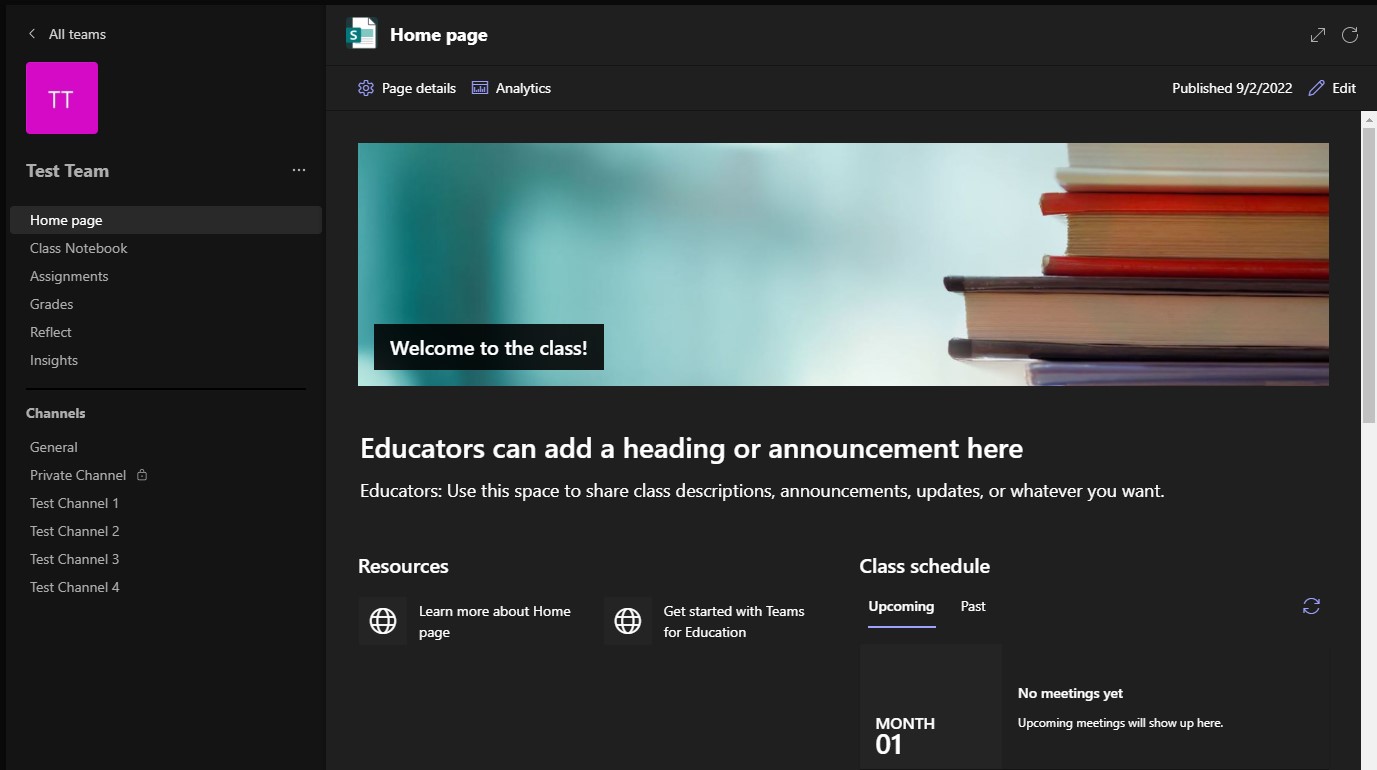

Class Home Page has come to Teams

Microsoft Teams has introduced a new feature to Class teams pages called Home Page. The Class Home Page serves as a dashboard where students can find important class information including links to resources, highlighted documents, engaging content and more; all of which can be edited and arranged to suit your class. …

Microsoft Teams Best Practice Guide

With the abundance of Teams sites across the organisation it can sometimes be difficult for you and your students to find the Team/s you are looking for. We have therefore created a quick guide for best practice when creating, naming categorising and structuring Teams sites. Creating Teams To create a …

Top Tip – NEW Teams Reply

Chats, especially with more than one other person conversation, can often move on quickly, and sometimes the opportunity to reply directly to a message has passed and your reply can become out of context. AAAAAAArgh frustrating! Well don’t worry with the NEW Reply feature you can include the original message …

Immersive Classroom Guide

The immersive classrooms are equipped with speakers, a standard webcam and microphone mounted on the projector, and a motorised camera controlled via a remote. As part of an online Teams lesson these can be used alongside other online activities and tools to engage learners at home and in-class activities such …

Back to Top