Recording a PowerPoint presentation

Recording your PowerPoint presentation is a great way to create engaging learning resources for students. Whether you’re preparing asynchronous lessons, flipped classroom content, or revision materials, PowerPoint has built-in recording tools that make it easy to record, annotate, preview, and export a video of your presentation. A step-by-step guide to …

A Quick Glance – The NEW Microsoft Teams Whiteboard

Microsoft has just completely updated their Teams Whiteboard software the video below is a step-by-step tutorial on how to use the NEW features. The updated Whiteboard in Teams meetings includes real-time collaboration, Whiteboard templates, adding images and reactions to Whiteboards, and lots more. These new features in Microsoft Teams will …

Using Microsoft Stream to Raise Achievement and Engagement

Introduction Several curriculum areas across Loughborough College have discovered Microsoft Stream and have adopted this technology as part of everyday teaching, learning and assessment. Public Services and Sport have both been sharing good practice with eLearning on how they have been using Stream mainly to enable learners to record videos …

New feature: Quizlet Diagrams

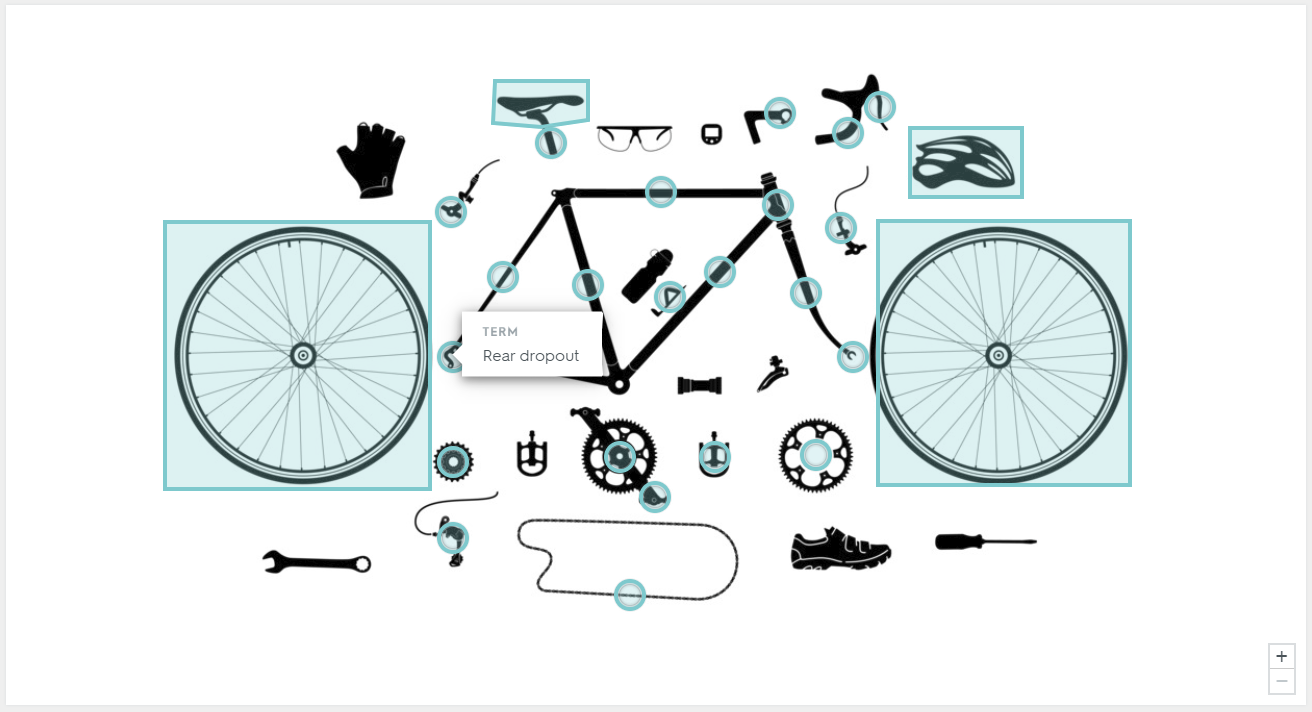
Heard of Quizlet? If not, quickly visit the current king of flashcards, mini tests and matching games and come back. Quizlet has added a new feature to their flashcard sets called diagrams. You can now create labelled diagrams for learners to test themselves on (or get them to create there …

Back to Top