

Are you using How2? The Quality Team asked us to put this blog together as a way to support staff in making the most of the platform.
HOW2 is a web-based professional development platform for educators. It provides visual, evidence-based teaching strategies that are quick to access and easy to use. It also includes an AI Assistant that offers tailored guidance to help you apply strategies in the classroom, online, and in practical teaching settings.
You can browse the library of techniques, select a strategy relevant to your teaching, and use the AI Assistant to adapt it to your lesson or context.
Using the AI Assistant
One of the most useful features of HOW2 is its AI Assistant. It helps you move quickly from reading about a strategy to actually using it in your teaching.
Step 1: Find a strategy
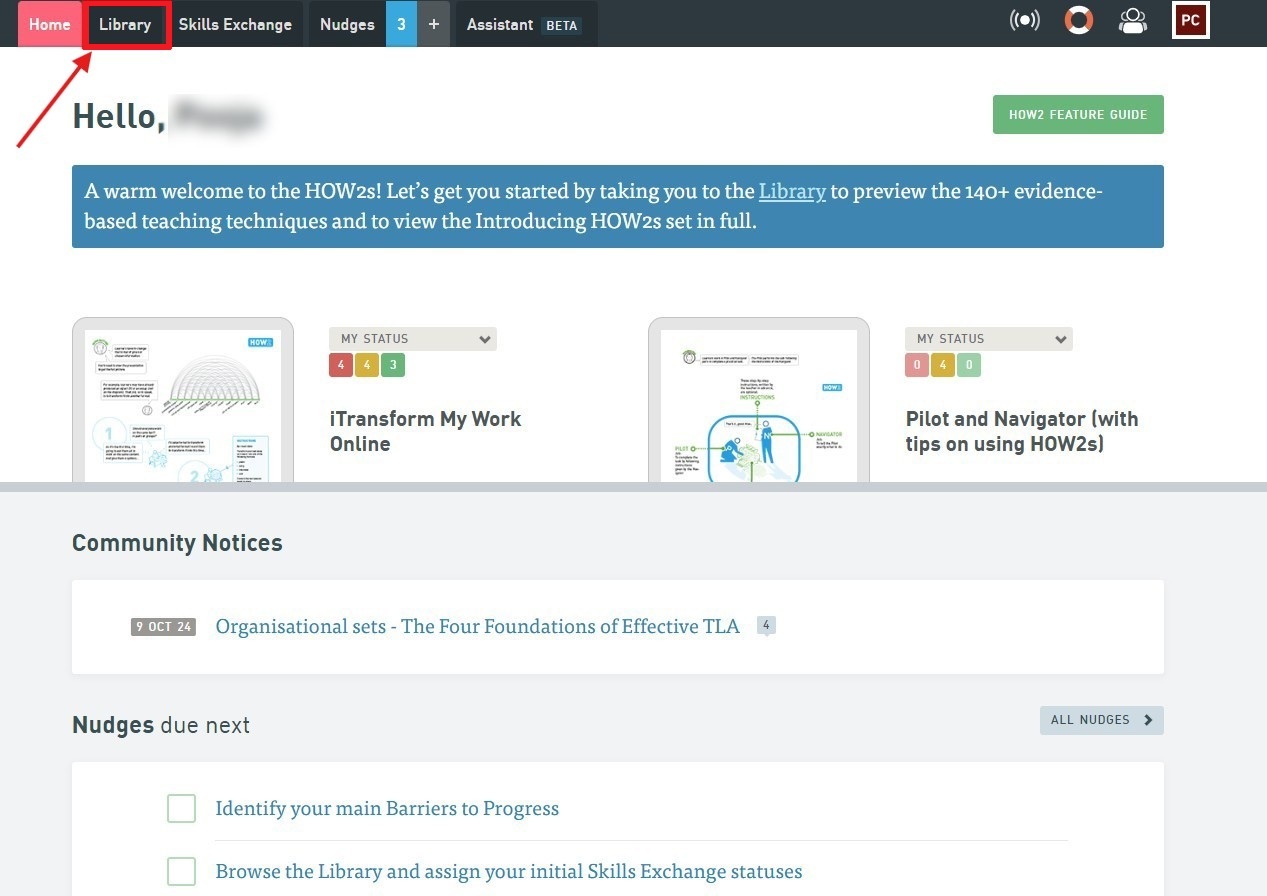
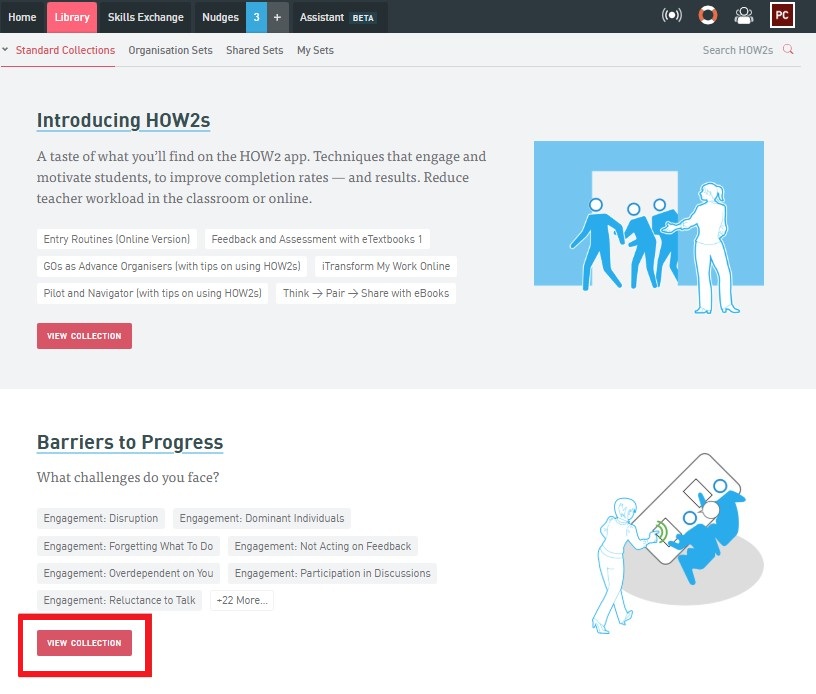
Start by browsing the HOW2 Library (found on the navigation bar). You will then be directed to a page with four options:
- Introducing HOW2s
- Barriers to Progress
- Teaching Strategies
- Principles of Instruction
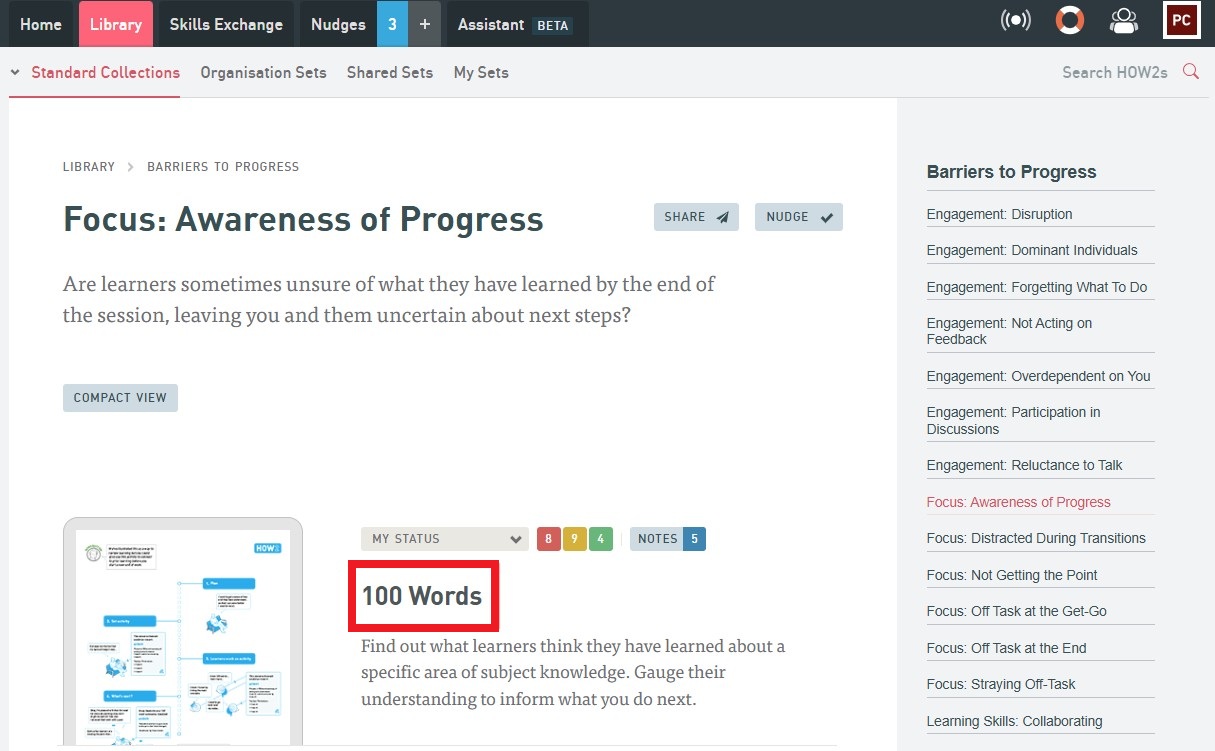
Pick any of the four by selecting view collection and choose a strategy that fits your goal, whether that’s boosting engagement, checking understanding, or supporting independent learning.
Step 2: Open the AI Assistant
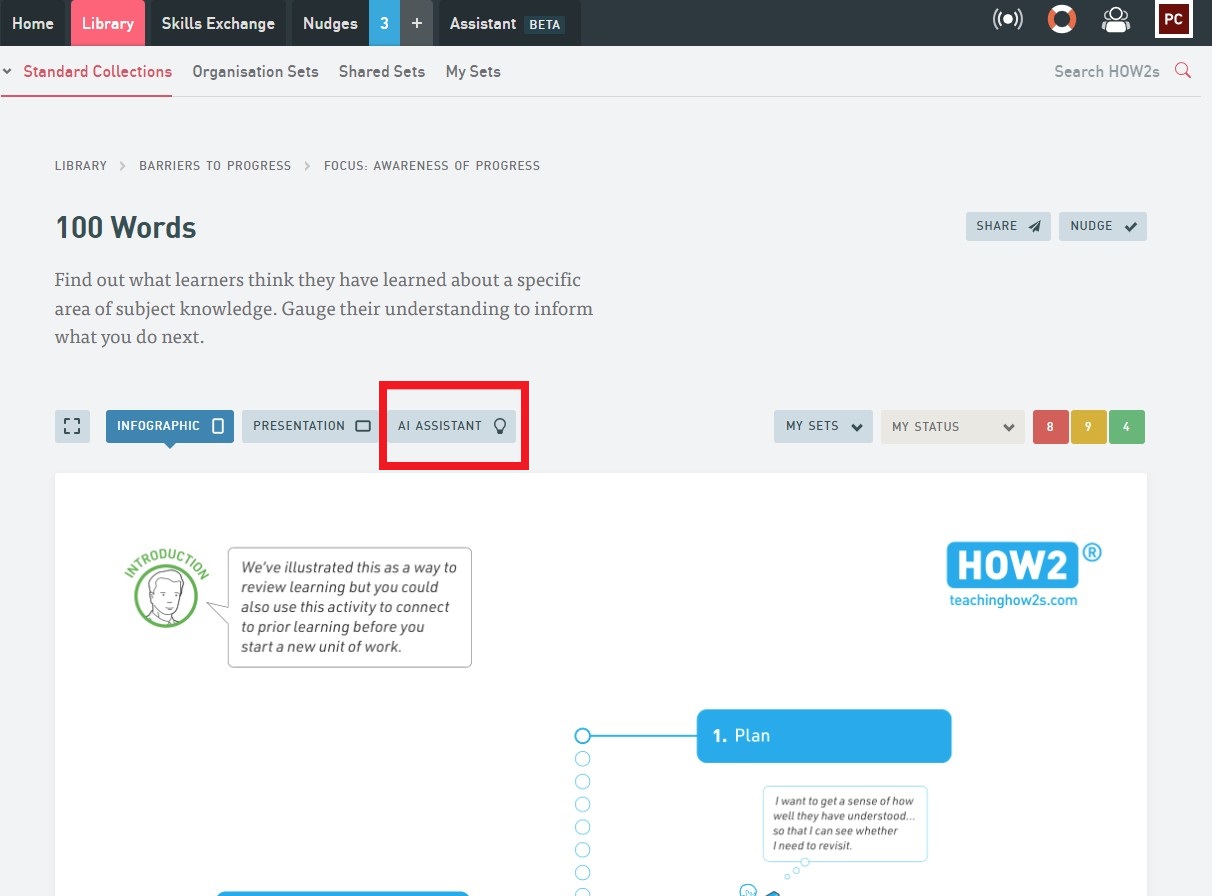
Once you have chosen a strategy, select the AI Assistant. This is where you can start tailoring the approach to your own teaching context by filling in the text boxes on the page. You are also able to see previous requests that you may have made.
Step 3: Adapt it to your lesson
Tell the AI Assistant about your specific teaching scenario. Filling in the following details on the page:
- Subject
- Lesson Focus
- Environment
- Areas of Interest
For example, you can ask the AI Assistant to make a ‘100 words’ exercise for a Biology lesson, where students are required to ‘Describe the structure of different types of cells’ in an A-Level classroom studying for an AQA exam board environment. You are also able to consider “Areas of interest”, catering your response for individual learner needs like “Special Educational Needs (SEN)” or “Stretch and Challenge.
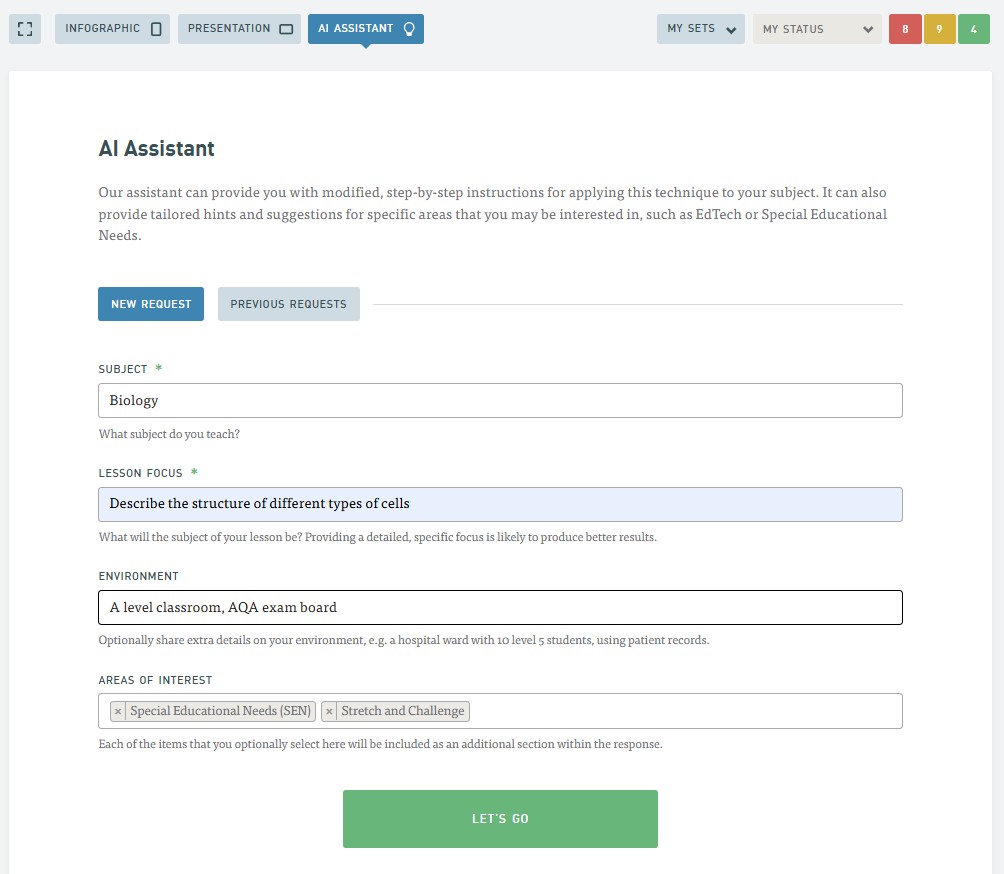
Once you have filled in the sections on the request, select Let’s Go to generate the response from the AI Assistant.

Step 4: Using your AI generated response in your teaching
The AI Assistant will use your criteria to provide you with comprehensive and detailed, step-by-step instructions for applying this strategy to your subject. As the guidance is broken down into clear, actionable steps, it is easy to follow even if you have never tried this particular strategy before.
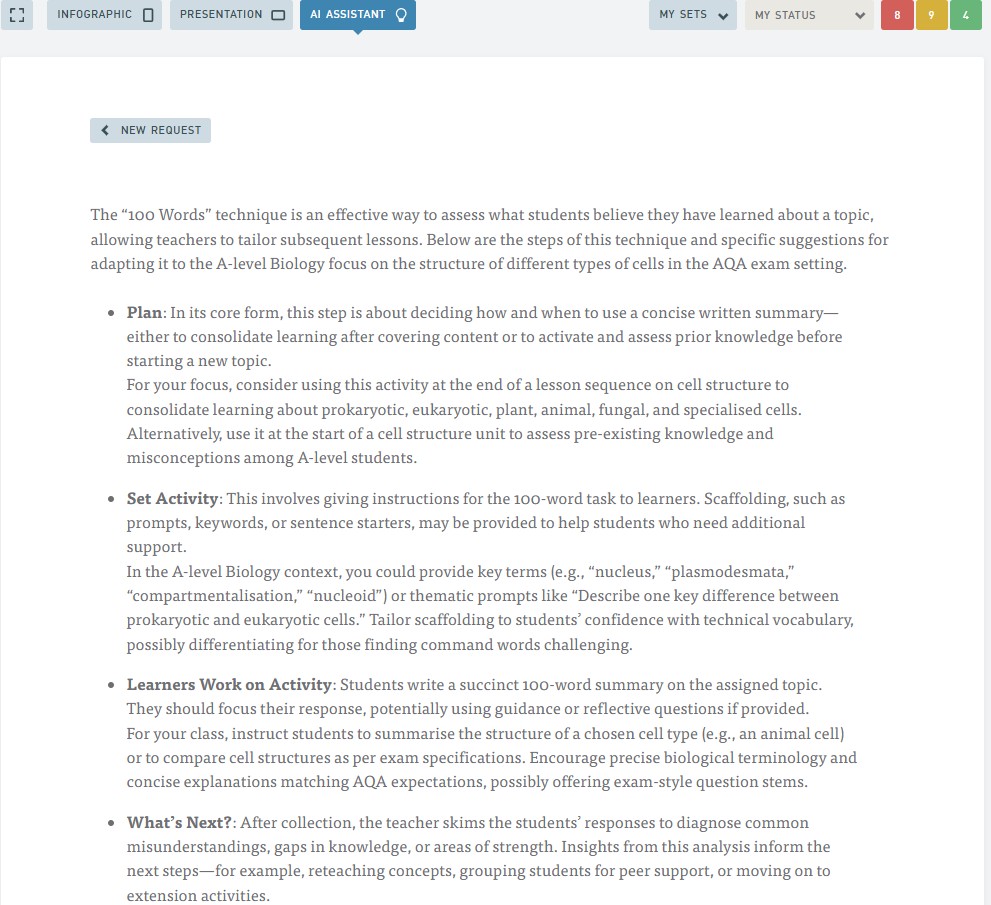
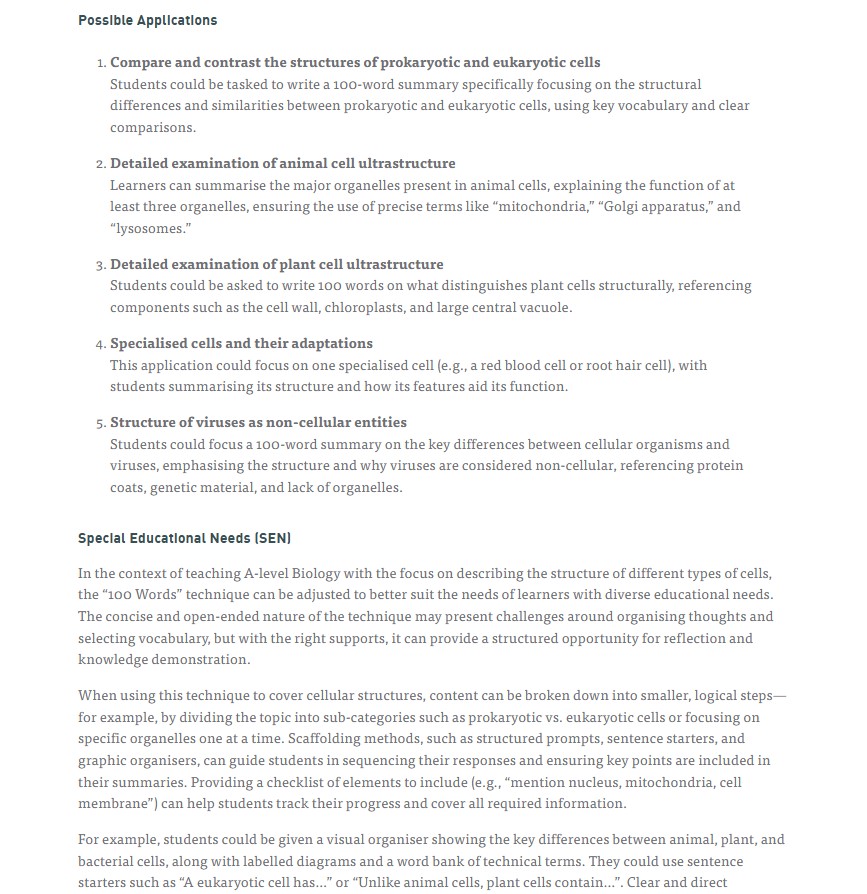
The HOW2 AI Assistant is designed to make finding information quicker, simpler, and more intuitive, helping you get the answers you need, when you need them. As the tool continues to evolve, your feedback and engagement will play a key role in shaping its development.
If you require any further support, guidance, or training on HOW2 or the AI Assistant, please don’t hesitate to contact the Quality Team, who will be happy to help.
Help and Support

As always, contact the Digital Learning Team for more information, guidance, and support. You can also book a coaching session here: Digital Learning Coaching.